PracticePad AI Music Education Platform

Music Practice Tracking App for Students Parents and Teachers

AI Music Practice Coach and Scheduling Assistant

PracticePad™ 4.0 · AI-powered

The operating system for
music education.

Not video lessons. Not a Zoom link in a Google Doc. PracticePad™ is an intelligent platform that manages scheduling, teaching, practice, progress, and communication — so every lesson becomes a guided week of learning.

Try it free → See the AI ↓
0+
students served
0+
private lessons
0+
skills & exercises
0+
years of teaching
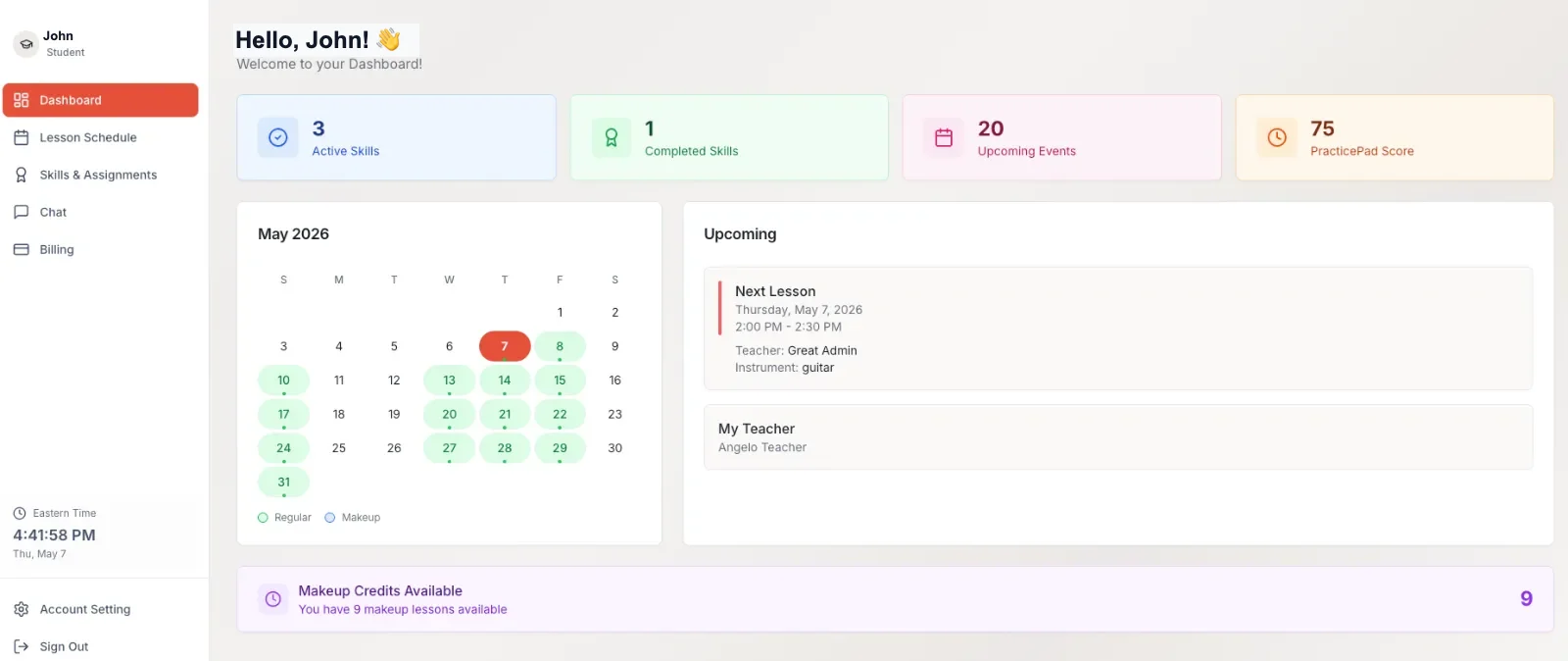
PracticePad AI music education dashboard — calendar, next lesson, practice score
Human first, AI assisted

Human first. AI assisted.
Real teachers lead every lesson — AI handles the busywork in between.

AI practice coach

Coaching every day, not once a week.

The AI knows the teacher, lesson history, goals, current skills, uploaded videos, and practice patterns — and coaches accordingly.

The F barre chord keeps buzzing 😩
That's the #1 spot everyone gets stuck — you're right on schedule. Marcus flagged thumb position in Tuesday's notes. Try his 2-min video "F chord — thumb behind the neck," then do 5 slow reps. Want me to add it to today's plan?
yes please
Added ✓ — 5 reps at 60 bpm. You've practiced 4 days straight; one more and you tie your best streak 🔥
AI scheduling assistant

A 24/7 scheduling coordinator.

It checks teacher availability and make-up credits, books the change, updates calendars, and notifies everyone. No phone calls. No emails. No waiting.

I can't make tomorrow.
No problem — you're within the policy window, so no credit is lost. Marcus has Thu 4:00, Fri 1:30, or Sat 11:00. Which works?
Sat 11
Booked ✓ Sat · 11:00 AM. Calendar updated, Marcus notified, reminder set.

🧠 AI lesson preparation

Before every lesson the teacher gets a summary: practice completed, videos uploaded, areas needing attention, and a suggested lesson structure.

📝 AI lesson summary

After every lesson: recap, homework summary, progress update, and separate parent and student summaries — searchable forever.

🎯 AI-generated practice

Daily plans, warmups, technique drills, ear training, theory quizzes, and review sessions — tailored to each student automatically.

The live online school

A purpose-built classroom. Not Zoom.

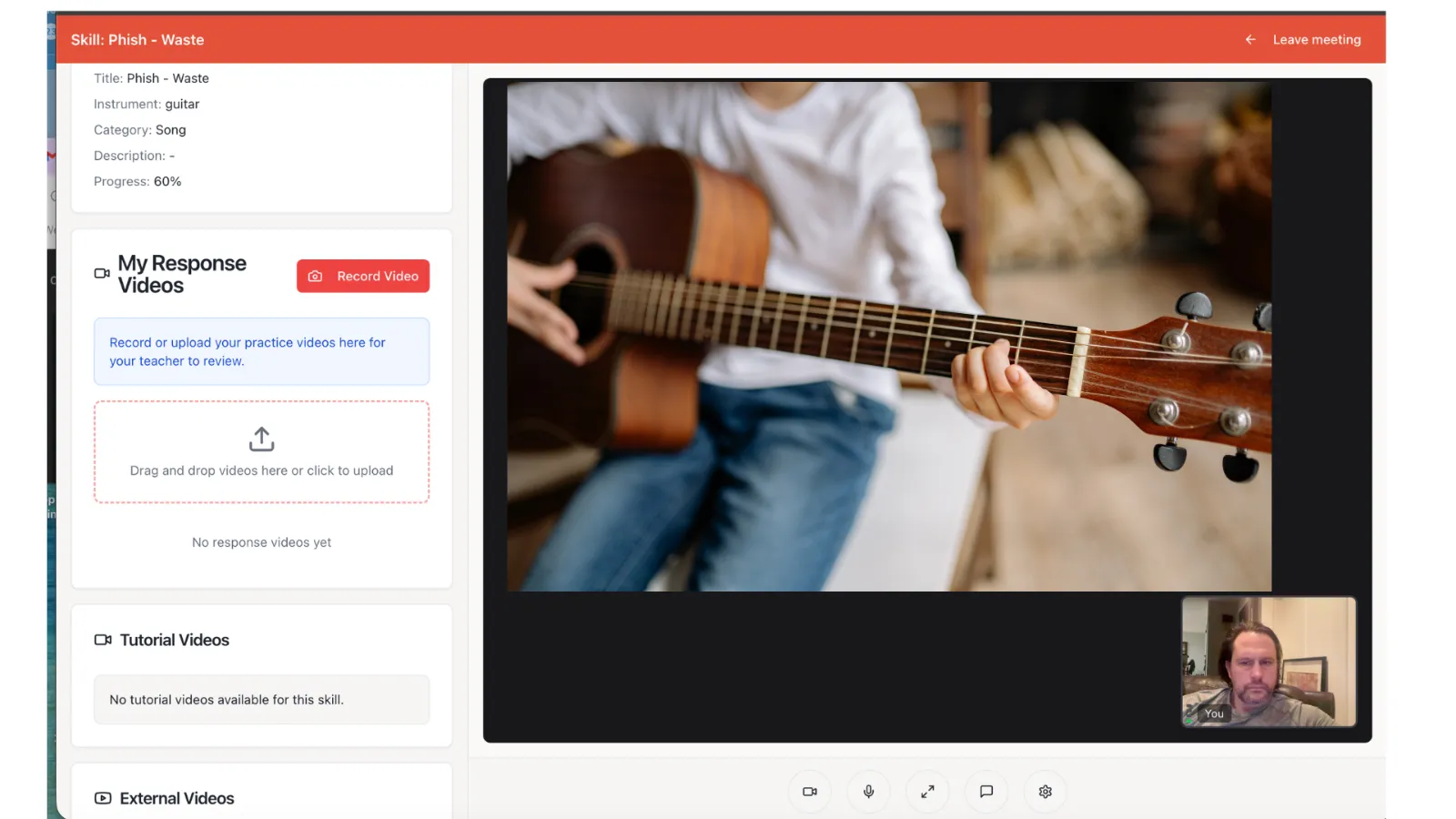
HD video, music-optimized audio, browser-based with no downloads — plus lesson notes, file sharing, assignment creation, and instant access to the student's full history without ever leaving the room.

  • Skills and practice videos beside the teacher's video
  • Lesson timer, screen sharing, and notes built in
  • Every lesson documented — replay the moment it clicked
PracticePad live online music classroom with teacher video and skill panel
The Skills library

20,000+ interactive learning activities.

Each Skill can include written instruction, teacher demonstrations, video, audio, notation, interactive exercises, quizzes, and practice tracking. Teachers assign one Skill, five, or entire custom pathways — and can build their own content: custom videos, PDFs, scales, songs, drills, ear training, and performance prep.

78
PROGRESS
The PracticePad Score

Not a grade — a measure of consistency, completion, growth, and learning momentum. Students always know how they're improving.

PracticePad skills library — 20,000+ interactive music exercises with star tracking
One platform, three experiences

Student. Parent. Teacher.

A learning headquarters that pulls them back daily.

  • Today's assignments + upcoming lesson countdown
  • Practice streaks, weekly goals, and achievements
  • Teacher videos to review + video uploads for feedback
  • AI assistant one tap away
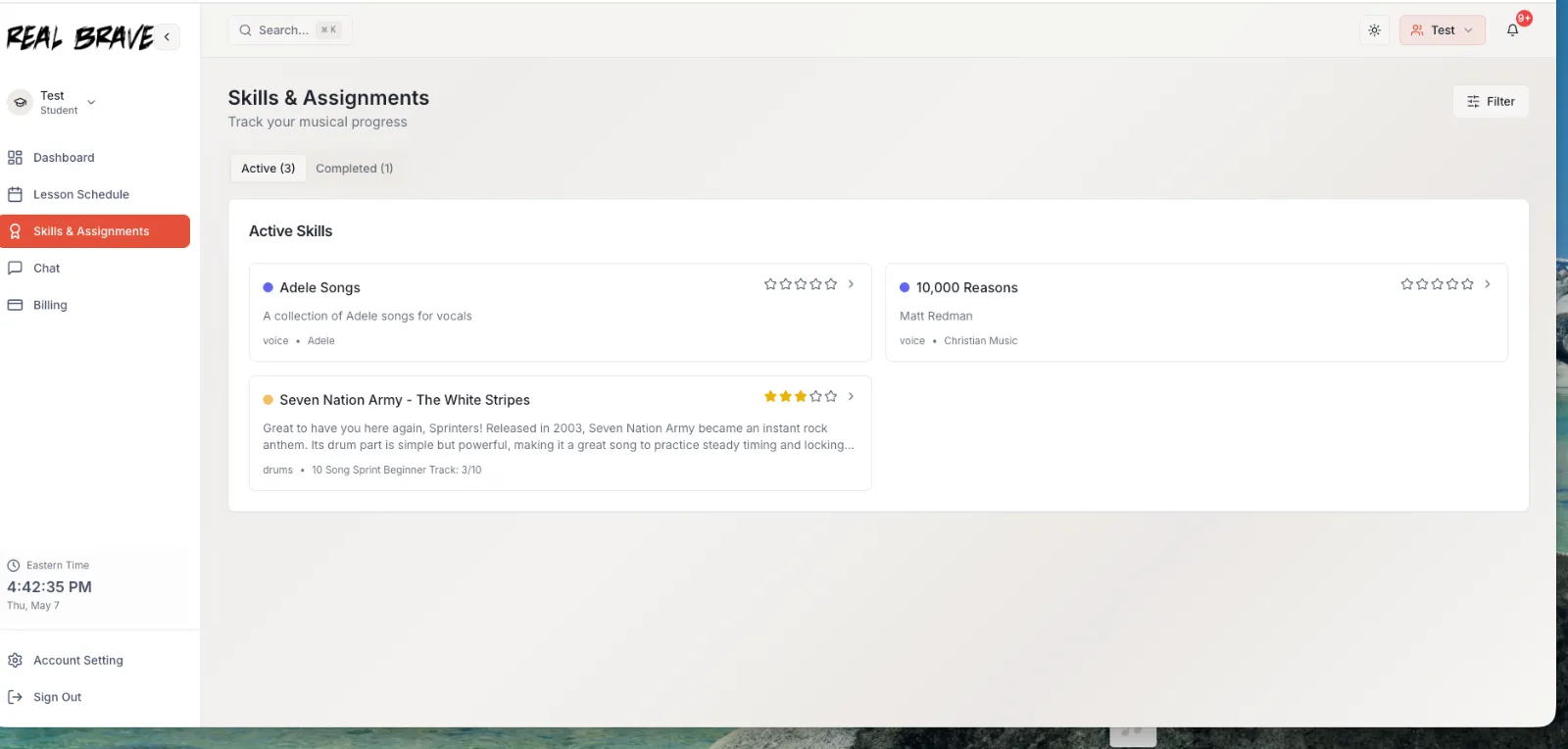
PracticePad student dashboard with assignments, streaks, and progress

From "did you practice?" to actually seeing it.

  • Practice completed, teacher notes, and lesson summaries
  • Attendance, make-up credits, and billing in one place
  • Growth timeline over months and years
  • Multi-child households: separate students, one parent login
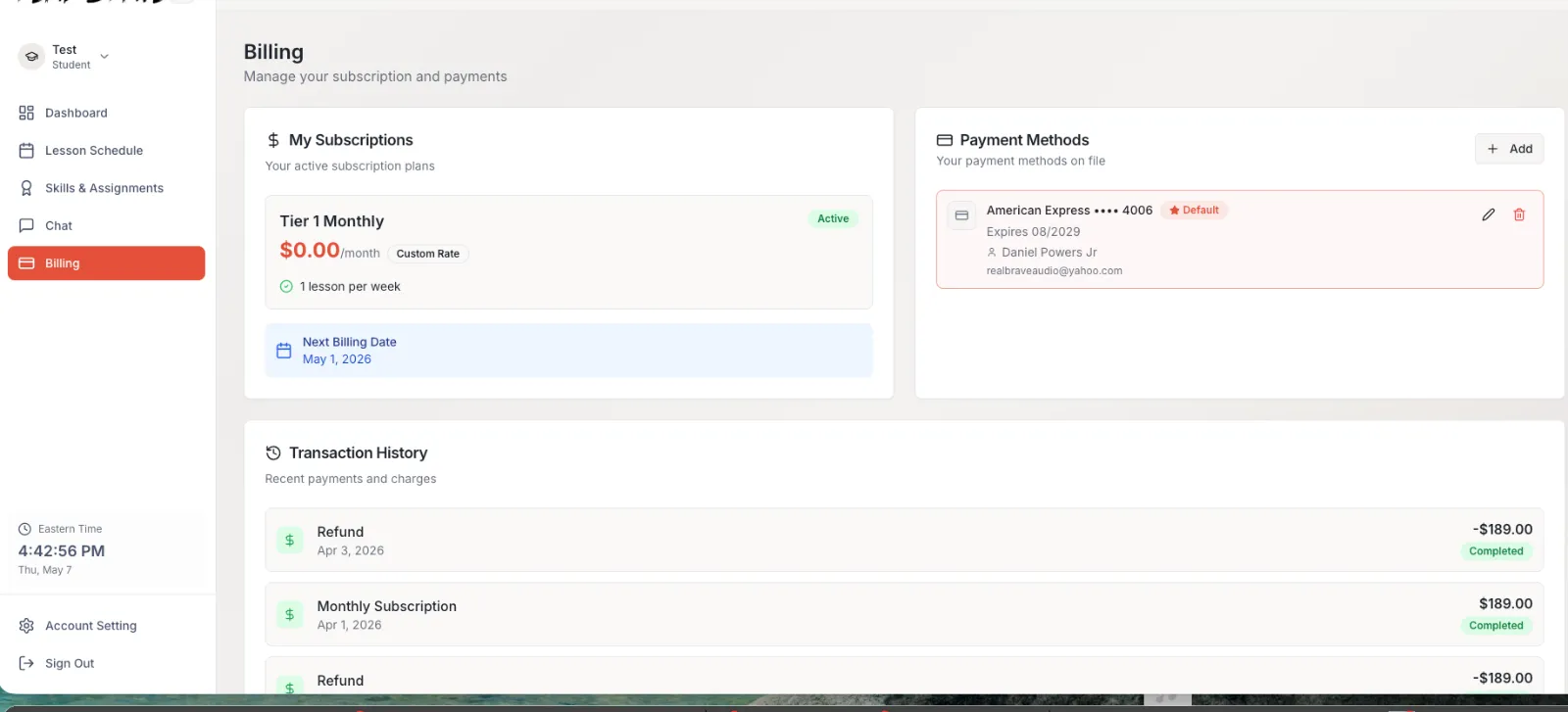
PracticePad parent view — billing, attendance and progress transparency

Everything needed to teach, one click away.

  • Today's lessons, roster, notes, and full lesson history
  • Skill library + custom content authoring
  • Student videos, progress scores, and practice analytics
  • AI prep before the lesson, AI summary after
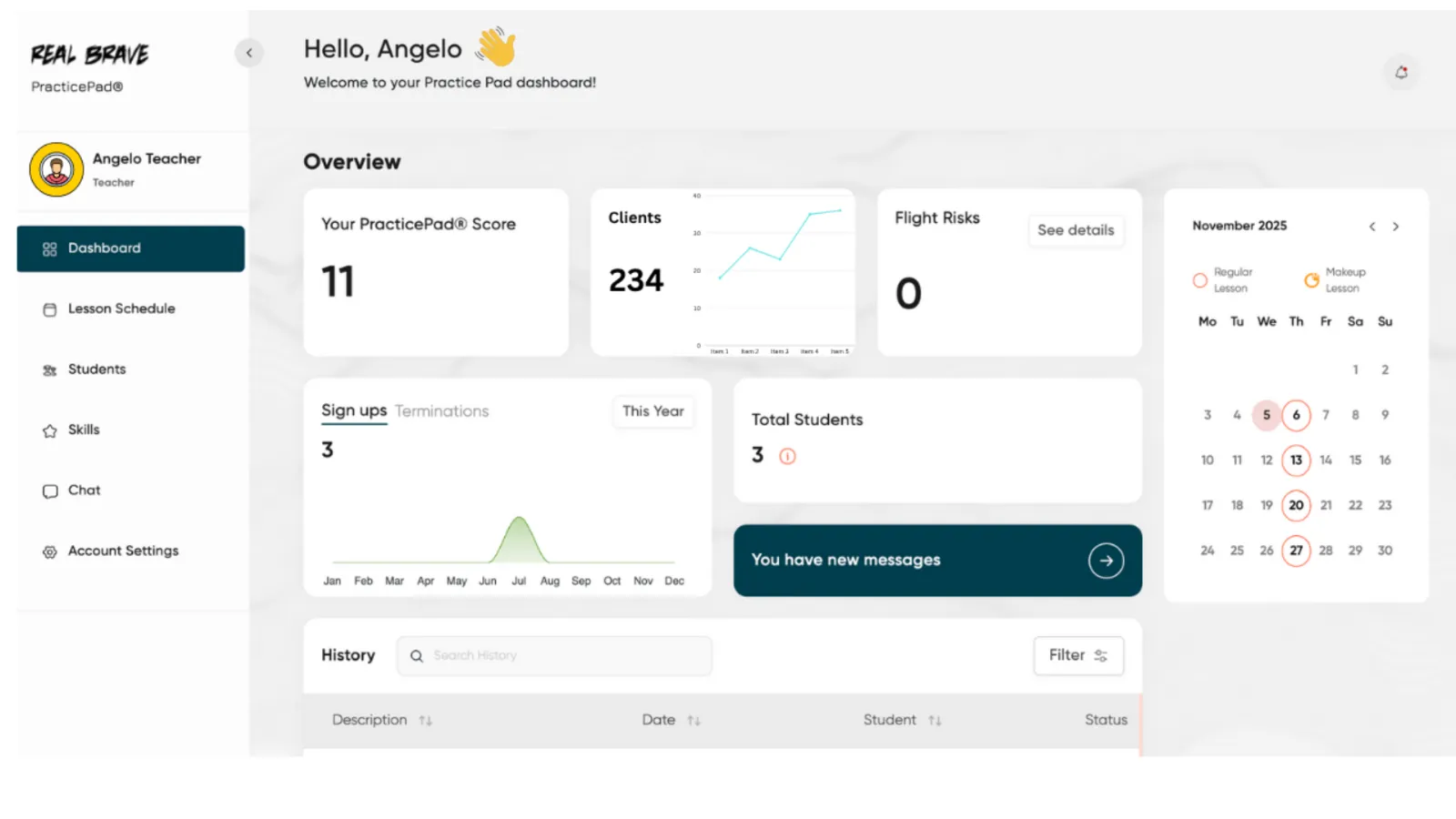
PracticePad teacher workspace — roster, lesson history and skill assignment
The weekly learning journey

Every lesson becomes a guided week.

TUE · LESSONLive 1-on-1 lesson → AI summary + new assignments posted
WEDPractice plan: 2 skills + teacher's demo video
THUStudent uploads practice clip → teacher & AI feedback
FRIAI drill: 10-min technique + theory quiz
SATReview session + streak milestone 🎉
SUN–MONReminders, goals check, lesson countdown
NEXT TUETeacher opens AI prep — lesson starts exactly where the week ended
The transformation

Before and after PracticePad™.

BEFORE
  • Students forget what to practice
  • Parents don't know if progress is happening
  • Teachers repeat instructions every week
  • Lessons end when the call ends
  • Scheduling creates friction; motivation fades
AFTER
  • Every lesson becomes a guided week of learning
  • Practice is structured, measurable, and visible
  • Teachers teach more, manage less
  • AI handles admin and reinforces learning daily
  • Progress is visible, celebrated, and sustained

🔔 Intelligent notifications

Email, SMS, and push — lessons, practice, achievements, and schedule changes. Parents get their own.

🏫 School management

Teacher & student management, scheduling, billing integrations, reporting, and practice analytics for administrators.

🔒 Secure cloud platform

Desktop, laptop, tablet, iPhone, Android — browser-based, everywhere.

Built for every instrument

Any discipline. One system.

PianoGuitarBassVoiceDrumsViolinCelloUkuleleWoodwindsBrassSongwritingCompositionMusic productionTheory

What families say about the platform.

Is PracticePad™ included with lessons?
Yes — every tier, from Starter up, includes full PracticePad™ access. It's not an add-on; it's how the school runs.
Does the AI replace the teacher?
Never. The AI is an extension of the teacher — it explains concepts differently, reminds, encourages, prepares lessons, and summarizes progress. Every lesson stays live and 1-on-1 with a real instructor.
Do parents get their own view?
Yes — practice completed, teacher notes, lesson summaries, attendance, achievements, and growth over time. Households with multiple children get separate student profiles under one parent login.
Does it work on phones and tablets?
Yes — browser-based on any device, with iOS/Android access and email, SMS, and push notifications. Live lessons are best on a laptop or tablet with the camera at playing height.

See it with a teacher in it.

The free trial happens inside PracticePad™ — you'll tour the platform by using it.

Book my free trial →